
Payout to bank
Paying money out from your Ozow float to a bank account.
On this page5 sections
Build with AI 1 package
A build package is every page for one task, with the API operations they use. Copy the prompt into a coding assistant, or hand it the package itself: slim links to each page, full inlines all of them in one document.
- Send a payoutEverything needed to pay money out to a customer's bank account or voucher with the Payouts API, including how to exercise the failure paths before going live.
PayoutsPayout Money sent from a merchant to a bank account. Unlike a refund, a payout is not tied to a payment anyone made you, so you can pay anyone with a bank account. Payouts draw on your float rather than on your incoming payments, and they are not self-service: they need approval from Ozow and testing in staging first. enable businesses to send funds quickly and securely to customers via EFTEFT A transfer between two bank accounts. Used here for the standard kind, which takes one to two business days, as against Real-Time Clearing, which moves the funds immediately. A payout or refund is one or the other, and which you choose is the difference between a customer waiting minutes and waiting days. or vouchers. Businesses can integrate through an API to automate payouts to customers across South Africa's major banks, while also supporting cash-based customers through voucher payouts. It helps businesses reduce manual processes and operational costs while providing customers with a convenient way to access their funds.
Payouts are not self-service. They need explicit approval from Ozow, mandatory testing in staging, and formal sign-off before they're enabled in production. See Enabling payouts.
How a payout works
- You submit a payout with the recipient's bank account details and the amount.
- Ozow confirms the payout is genuinely intended before any money moves, through your verification webhookWebhook A URL of yours that Ozow calls when something happens, rather than you polling to find out. The call carries no credential of yours and arrives at a public URL, so authenticate it before acting on it: a hash field on the Payments API, a Svix signature on One API. if you're using the API, or an approval if you're uploading from the Dashboard.
- Ozow submits the payout to the recipient's bank.
- The funds arrive, immediately if the payout is sent in real time, otherwise within 1-2 business days.
- Ozow notifies your system of the final status.
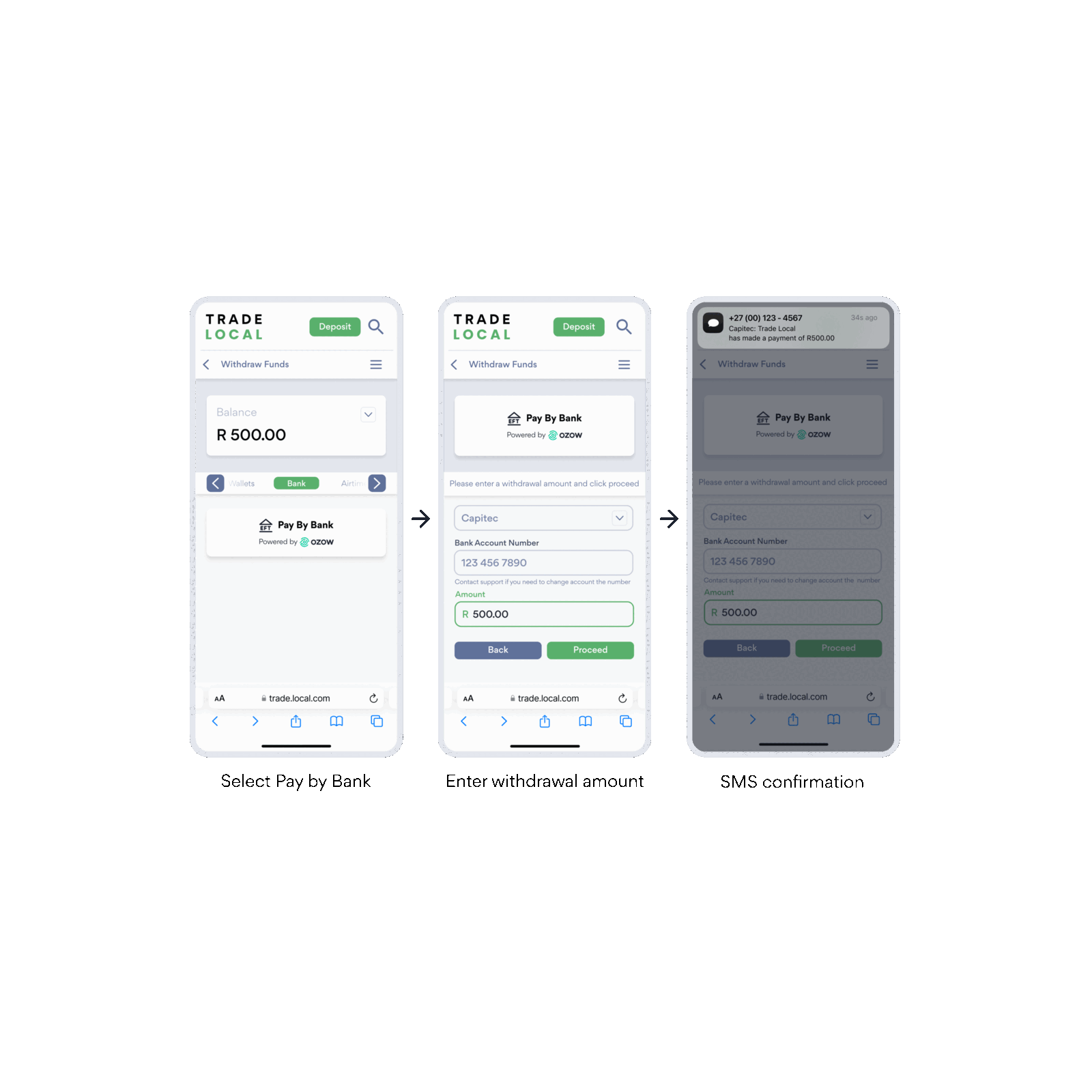
There is no customer-facing step. The whole flow happens between your backend and Ozow. You build the front end you want to display to customers.
Enabling payouts
Payouts move money out of your account, so the process to switch them on is deliberately strict. There are no exceptions to any of the three steps.
1. Approval. Speak to your account manager. Ozow reviews your use case before payouts are enabled.
2. Staging testing. You must complete the payout test cases in staging. This is mandatory and evidence is required.
3. Sign-off. Ozow signs off on your staging results before payouts are enabled in production.
You'll also need a funded floatFloat The balance held with Ozow that payouts and refunds are paid out of. Both draw on it, and neither will process while it is empty. Payins do not need one, so if you only take payments you never meet it. before any payout will process. See Float top-up.
Payments from your customers don't fund your float.
When a customer pays you, that money is settled to your bank account. Your float is separate, and you fund it yourself by transferring money to Ozow. A busy sales day doesn't give you more capacity to refund or pay out; only a top-up does.
Need a different arrangement? Speak to your account manager if you'd like your incoming payments to flow into your float rather than being settled to your bank account. Ozow approves these at its discretion based on your use case; approval isn't guaranteed.
Things to know
Payouts come from your float, not from your incoming payments. Money customers pay you gets settled to your bank account; it doesn't top up your payout balance. If your float is empty, payouts won't process. Keep it funded ahead of when you need it; topping up takes time to clearClearing Moving funds between two banks so the recipient can rely on them. It is a separate step from a payment being approved: a payment can succeed and the money still be in transit. Real-Time Clearing is the immediate version..
Timing depends on how the payout is sent. Real-time payouts arrive immediately. Standard payouts take 1-2 business days. You choose per payout.
Every payout is checked before money moves. How depends on how you send it. On the API, Ozow calls back to your system to confirm the payout is legitimate; if your webhook rejects it, or Ozow can't reach it, the payout fails and nothing moves. From the Dashboard, a second person has to approve the batch before it's released. Either way the check is deliberate: it's what stops a single compromised credential or one person's mistake from draining your float. If you're on the API, that means keeping your webhook reachable and making sure Ozow has the current URL if you ever change it.
Recipient account details are your responsibility. Ozow validates what it can, but an account number that's valid and belongs to the wrong person will still be paid. Verify recipient details before you submit.
Payouts can be returned. If the destination account has closed or can't accept the payment, the payout comes back and the funds return to your float. You'll see this as a returned status rather than a failure at submission.
Never blindly resubmit a failed payout. Most failures are safe to retry once you've fixed the cause. An insufficient-balance failure is not: top up your float instead, and the payout processes automatically. Resubmitting that one risks paying the recipient twice. See Transaction and settlement statuses for what each status means and what to do about it.
Recipient has no bank account? See Payout to voucher.
Integrating payouts
Bulk payouts from the Dashboard: upload a CSV, no development required. Uses a two-role approval model; Ozow recommends that the person who uploads a batch is different from the person who approves it. Same approval and staging process as the API. → Bulk payouts
Payouts API: submit payouts from your own system, individually or in volume. Covers the verification webhook, account number encryption, status notifications and the status check API. → Send a payout
Before you go live: Payout test cases
FAQs
Does the Payouts API perform account verification as well? Yes, we provide CDV checks. CDV is a preliminary check on account validity. The combination of six-digit bank branch number and the bank account number are validated to ensure that they satisfy the check digit rules that each bank has. This does not check if the account itself is valid or active.
How long will a payout take? We offer Real-Time ClearingReal-Time Clearing Payments that clear immediately rather than waiting for a batch. A batch run settles at set times through the day; a Real-Time Clearing payment moves the funds between the two bank accounts as it is made, so the recipient can rely on them straight away.PayInc (RTC) and standard transfers. RTC availability 00:01 - 18:00 (Weekdays) and 00:01 - 13:30 (Saturdays). All transactions outside of these times will be processed the next business day.
What are the limits for payouts? For RTC, on weekdays the limit is R5 million per payout and on weekends it is R250K.
How long will it take for my business to receive payout confirmation? It can take up to 24hrs for merchants to receive confirmation of payout even though the funds have already reached the customer.
How long does testing take? Businesses must test the required scenarios using the Mock API and Actual API in staging. With Actual APIs in staging, businesses can only test Non-RTC payouts. These must be submitted before 16:00 (CAT) so that they can be batch processed and completed at 09:00 the next day.
Last updated